Passport Photo Print Layout
Crop, arrange, and tile your passport photos into high-precision, printable A4 and 4×6 sheets with cutting guide borders. 100% private and processed in your browser.
Step 1: AI Preparation Prompt (Optional)
For perfect lighting and clean official backgrounds, copy our studio prompt below and paste it along with your photo into ChatGPT or Google Gemini.
Step 2: Upload, Crop & Print
Select Prepared Photo
Upload the photo(s) you prepared in Step 1 (or any portrait photo to crop)
100% Secure & Offline
Your photos are processed entirely on your device, ensuring maximum privacy for your sensitive documents.
Instant 4×6 & A4 Print Template
Automatically generates a perfect print-ready sheet with up to 6 or 8 passport photos for CSCs and studios.
Multiple Document Sizes
Easily crop to standard Indian Passport, PAN Card (213×213px), or Visa (35×45mm) dimensions effortlessly.
See the Difference
See how easily you can prepare a perfect layout for printing without complex desktop software.
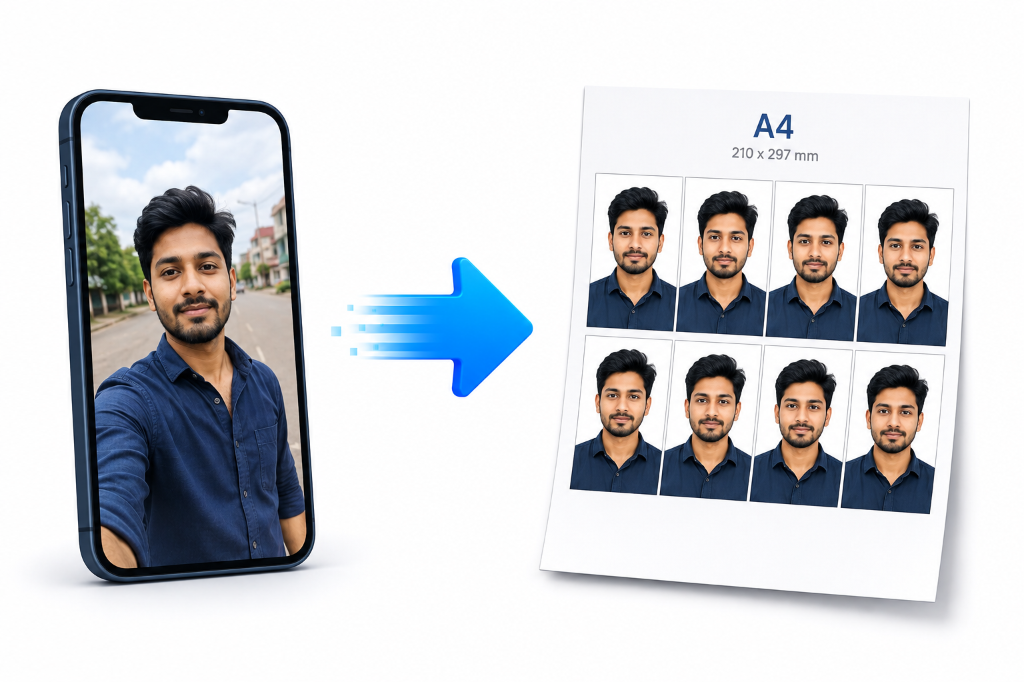
How to Use the Tool
Upload Photo
Select a clear, front-facing image (selfie or professional shot).
Select Size
Choose your required document size, such as Indian Passport or PAN Card photo size.
Adjust & Crop
Position the face inside the guide. The aspect ratio locks automatically.
Generate & Print
Create the A4 layout and print on glossy photo paper for best results.
Important Guidelines
Watch Step-by-Step Video Tutorial
Learn how to easily arrange and print passport photos.
The Ultimate Online Passport Photo Print Near Me Solution
Looking for an online passport photo print near me? Whether you are a CSC operator, a student applying for an SSC exam, or someone running a smart cyber cafe photo print west bengal business, our powerful tool replaces complex software. With our passport size photo maker for csc online, you can prepare perfect standard photos right in your browser. There is no need to travel to a physical studio or struggle with Photoshop. Generate a 4x6 passport size photo maker sheet instantly, or create a layout to print 6 passport photos on 4x6 paper online free.
Strict Offline Privacy
We know that ID photos are sensitive documents. Our technology processes everything directly in your browser. You can even use it for an urgent passport photo maker or Schengen visa request with zero server uploads.
Aadhaar and PAN Card Formatting
One of the main challenges for online form filling is meeting the strict guidelines of Indian government portals. Whether you need an aadhaar card photo size converter online or a dedicated pan card photo maker 213x213, this tool offers built-in presets that guarantee compliance. It's particularly useful during peak exam periods when you need an ssc exam photo and signature maker without paying expensive fees.
Frequently Asked Questions
Common questions about printing passport photos on 4×6 and A4 sheets.
Using our tool, simply upload your photo, crop it to passport size, and generate the layout. The tool automatically creates a 4x6 template with up to 6 photos, which you can download or print directly.
Yes, it functions perfectly for Aadhaar cards. You can resize and crop your photo to the exact dimensions required for Aadhaar updates and other Indian government portals.
Absolutely. The PAN Card photo requires exact 213x213 pixel dimensions. Our preset allows you to crop the image perfectly to this 1:1 ratio and resolution.
No. Our tool ensures strict offline privacy. All image processing, cropping, and grid generation happens entirely on your own device, ensuring 100% privacy.
Yes, the tool is designed to meet the strict photo requirements of SSC exam applications, making it quick and easy to get the right dimensions.
Schengen visas require a specific 35x45mm photo size with precise face coverage. You can select the Visa preset or input these exact dimensions to generate a compliant photo template.
Standard browser printing can limit color output. We recommend bypassing the browser print dialog (Ctrl+Shift+P on Windows) and selecting "Photo Mode" and glossy photo paper in your printer preferences. If edges cut off, adjust the layout margins in our tool.
This tool runs on Smart Cyber Cafe's credit system. Check the tool header for the current cost and your credit balance.